A live stream can create demand in minutes, but attention is fragile. A viewer who hears about a product should be able to understand the offer, open a trustworthy checkout, pay, and return to the show without searching through a bio or sending a private message. For a creator selling merchandise, a workshop, or a digital download, the payment method matters less than the clarity of that journey. Speed helps, but only when the order, confirmation, and fulfillment are equally clear.
What should happen when a viewer decides to buy?
The shortest useful path is stream to product page to checkout to confirmation. The product page should answer the questions the host would otherwise repeat on air: what the buyer receives, the price and currency, delivery timing, any geographic restrictions, and how to request help. A pinned chat message or on-screen QR code can point to that page, but it should not replace it. Sending viewers directly to a bare payment screen may save a click while creating uncertainty about the purchase.
For a physical item, show shipping costs before the final step and state when dispatch is expected. For a digital item, explain how access will arrive and what the buyer should do if the email does not appear. For a limited offer, give a real end time or quantity rather than implying scarcity that does not exist. These details reduce abandoned checkouts and the support burden after the stream.
How do you keep checkout from interrupting the broadcast?
Design for the phone in a viewer’s hand. Many people watch in one app and open the store in an in-app browser. A page that needs zooming, a long account-creation form, or a difficult-to-copy discount code asks the buyer to stop watching. Test the complete path on a phone before going live: open the link from chat, choose a variant, enter delivery details, pay with a test method, and check the confirmation. Repeat the test on a slower connection if your audience is likely to be mobile.
Keep the call to action stable. A single memorable URL or one clearly labeled link is easier to follow than a rotating set of checkout pages. If the offer changes during the show, update the destination page rather than asking viewers to find a new address. The host can describe the product and answer objections while the page handles the precise terms. That division lets the broadcast remain a conversation rather than a spoken checkout form.
Which payment options belong on the page?
Offer familiar methods that your audience can actually use in its country and currency. Cards and supported digital wallets are a practical starting point for many online stores; local bank-based methods may matter more in particular markets. The right mix depends on where buyers live, the product price, fees, refund needs, and the payment provider’s eligibility rules. More logos on a checkout are not automatically better if they add clutter or route buyers to unfamiliar flows.
Ask a provider two separate questions: when does the buyer receive confirmation, and when can the seller use the money? A card authorization can appear immediately even if the processor makes the balance available later. An instant payout may accelerate the movement of an eligible balance to a bank account without making the original sale settle instantly. A genuine instant bank transfer is a different rail again, and both banks or providers must support the relevant network. These distinctions matter if you promise immediate access to a digital product or rely on the proceeds to pay a supplier after the show.
Our guide to real-time payments for merchants looks at the broader cash-flow implications. For a live sale, the key operational rule is simpler: release goods or access on a verified order status from your checkout system, not on a chat message or a screenshot of a transfer.
What changes when the seller is a streamer?
Creators often have two revenue streams with different clocks. Subscriptions, platform advertising, and similar in-platform earnings follow the platform’s eligibility and payout schedule. Sales through a creator’s own store follow the store’s payment and fulfillment workflow. Treating them as one pool of instantly available cash leads to bad inventory decisions. Keep separate records for platform earnings, direct orders, refunds, and chargebacks so you know what is actually available.
Audience development also sits outside the payment system. A smoother checkout cannot compensate for an offer shown to the wrong viewers. A consistent format, clips that explain the product, collaborations, and a clear stream schedule bring interested people to the page. Creators comparing paid discovery options can also examine Twitch channel promotion tools, while judging any campaign by qualified visits, completed orders, and repeat customers rather than viewer counts alone. Promotion should feed a measurable customer journey, not substitute for one.
How should you handle refunds and failed payments?
Decide the policy before the live offer begins. Publish the conditions for returns, cancellations, and access problems in language a buyer can understand. Give support a way to find an order by reference number and email without asking for sensitive payment details in public chat. If a payment fails, the checkout should say so plainly and allow another attempt; do not tell the viewer to keep submitting until they see a bank notification.
Instant bank payments can be final at the network level, but that does not remove the seller’s obligation to address a mistaken order. A refund may need to be sent as a separate payment, according to the provider’s process. Card payments have their own dispute and reversal processes. The operational takeaway is to document which method funded each order and train support to use the correct refund path. A single generic “refund” button in an internal spreadsheet is not enough when multiple rails are involved.
How do you know whether the stream actually sold anything?
Use a distinct campaign link for each show and record the offer, date, traffic source, completed orders, refunds, and net revenue. If viewers move between devices, attribution will be imperfect, so do not treat one dashboard as a complete account of the event. Compare a small set of meaningful measures across several streams: product-page visits, checkout starts, paid orders, average order value, and support requests. A show with fewer viewers but more completed purchases may be the better format for the business.
After the event, reconcile the storefront order list with the processor’s payment report and any bank deposits. A paid order, a payout sent, and cash received are different records. Matching their IDs makes missing orders, duplicate charges, and withheld amounts easier to investigate. This routine is especially important when a creator runs limited drops and expects to reorder stock quickly.
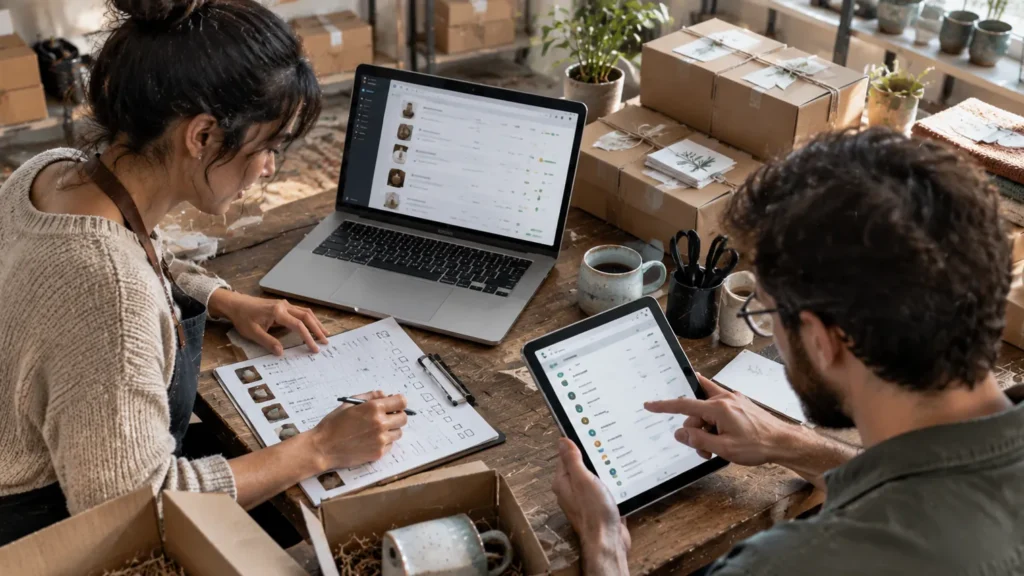
A practical pre-stream checklist
- Open the product and checkout links from the same device and app your viewers will use.
- Confirm that price, taxes or shipping, delivery timing, and refund terms are visible.
- Run a test order and verify the customer email and internal order notification.
- Check stock, download access, and the support contact before announcing the offer.
- Prepare one stable link and a short explanation the host can repeat naturally.
- After the stream, reconcile orders, payment statuses, refunds, and deposits.
Live commerce works when the audience can stay engaged while the transaction remains ordinary and reliable. Start with a clear offer and a mobile checkout, then improve the payment mix and funding speed only where the evidence shows a real bottleneck. The best setup is not the one with the most payment features; it is the one a buyer can complete confidently and a seller can fulfill without guesswork.